Role: QA Manual Tester (portfolio project)
App under test: demoblaze.com — an online store widely used as an industry-standard QA practice site
I designed and executed a full manual testing cycle on the critical flows of an online store: login, catalog, cart and checkout. The goal was to apply black-box test case design techniques and document everything to the same standard used on real QA teams — so anyone can reproduce each case without asking me twice.
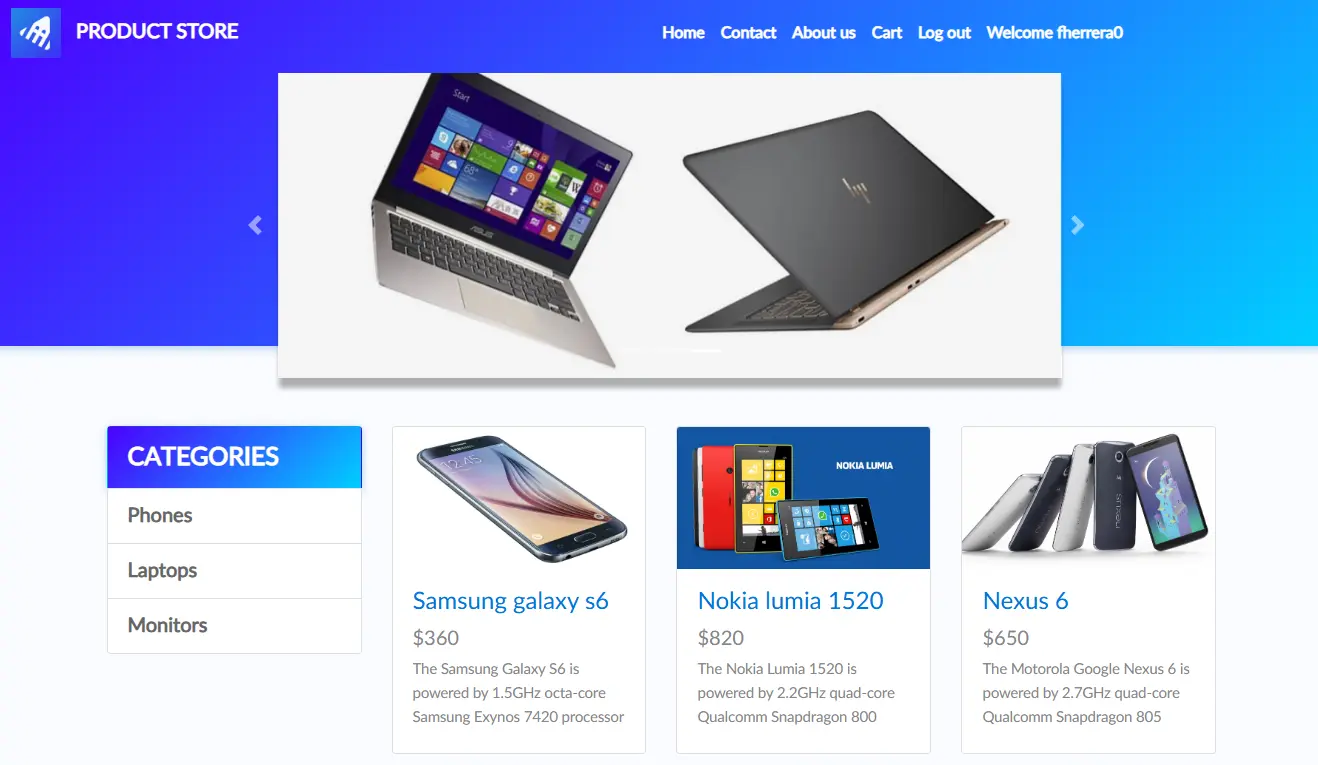
Test Plan & Scope
In scope: Login (valid/invalid credentials, empty fields), catalog navigation and browsing, cart (add, remove, verify total) and full checkout.
Out of scope: real payments (the app is a mock with no real transactions), performance, cross-browser and accessibility — separate audits, not covered in this round.
Environment: Chrome (latest stable version), Windows 11.
Test case design methodology
Instead of testing at random, each case was designed with a specific black-box testing technique:
Equivalence Partitioning: group inputs into equivalent classes and test one representative per group (e.g. "invalid credentials" as a single group, without repeating redundant variants).
Boundary Value Analysis: test the edge values — empty fields, a single product vs. several products in the cart, the "minimum" possible input.
State Transition: validate complete state changes — empty cart → with product → checkout → confirmation.
Test Cases (10)
| ID | Case | Expected result | Status |
|---|---|---|---|
| TC001 | Login with valid credentials | User authenticated, menu switches to "Welcome [user]" | Pass |
| TC002 | Login with incorrect password | Login rejected with a clear error message | Pass |
| TC003 | Login with empty fields | System does not process the login without required data | Pass |
| TC004 | Add product to cart | Product appears in Cart with correct name and price | Pass |
| TC005 | Remove product from cart | Product disappears and the total updates | Pass |
| TC006 | Full checkout (happy path) | Confirmation modal with order ID, amount and date | Pass |
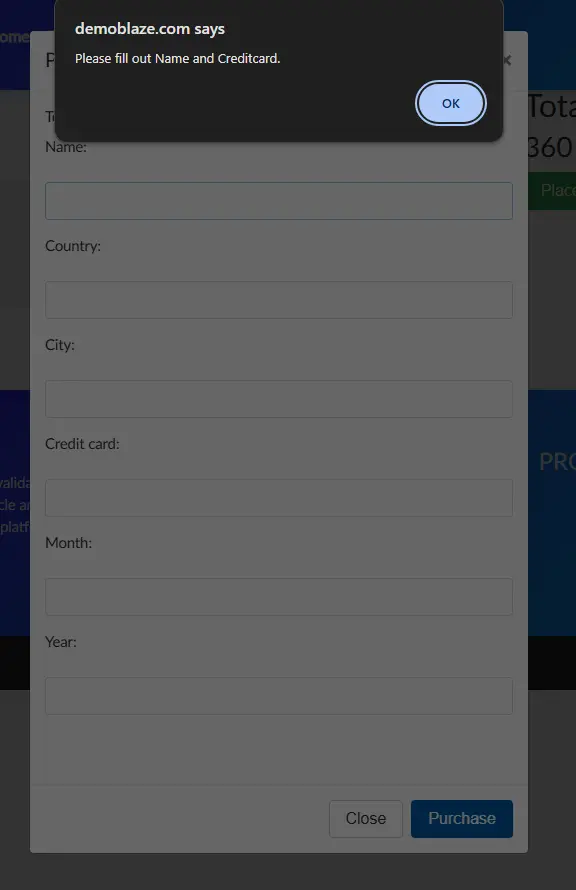
| TC007 | Checkout with required fields empty | System blocks the purchase without minimum data | Pass |
| TC008 | Catalog category navigation | Each category shows only its corresponding products | Pass |
| TC009 | Catalog pagination (Next/Previous) | Next/Previous navigate without repeating or losing products | Pass |
| TC010 | Correct cart total with multiple products | Total = exact sum of individual prices | Pass |
↳ Full detail of each case (preconditions, exact steps) in the GitHub repository.
Bug candidates investigated (7) — 3 confirmed, 4 not reproduced
Documented to the same standard I'd use on a real team: exact reproduction steps, actual vs. expected result, severity (technical impact) and priority (urgency to fix). Four candidates didn't survive verification and are kept here as closed rather than quietly dropped — a defect that won't reproduce isn't a defect yet.
- Reach the "Place Order" modal with no products in the cart
- Fill the form with any data
- Click Purchase
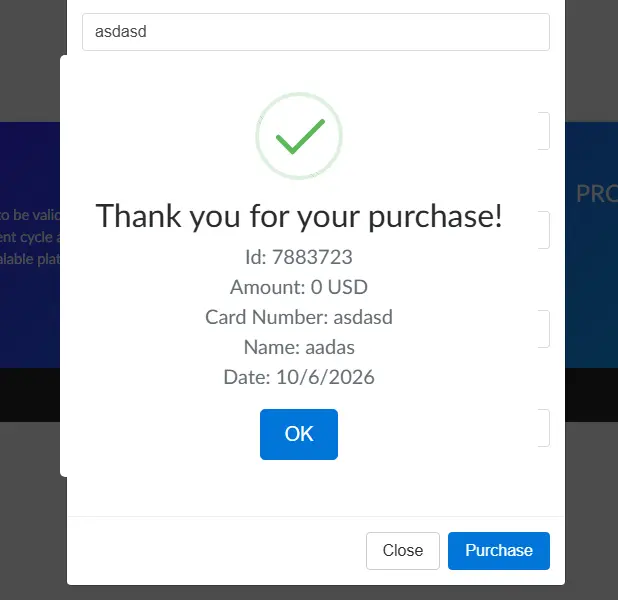
- Cart → Place Order
- Type text into "Credit card", "Month" and "Year" (e.g. "asdasda")
- Click Purchase
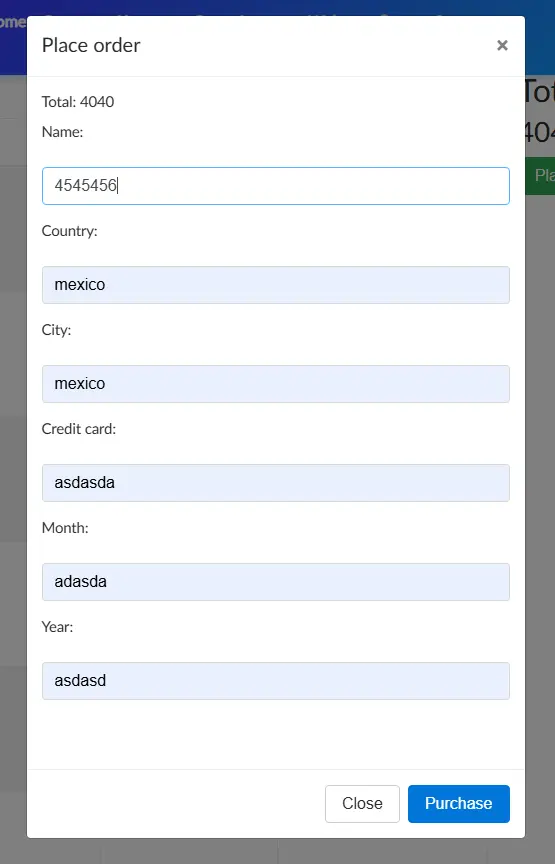
- Cart → Place Order
- Type only numbers into "Name" (e.g. "4545456")
- Click Purchase
- Add the same product to the cart twice
- Go to Cart
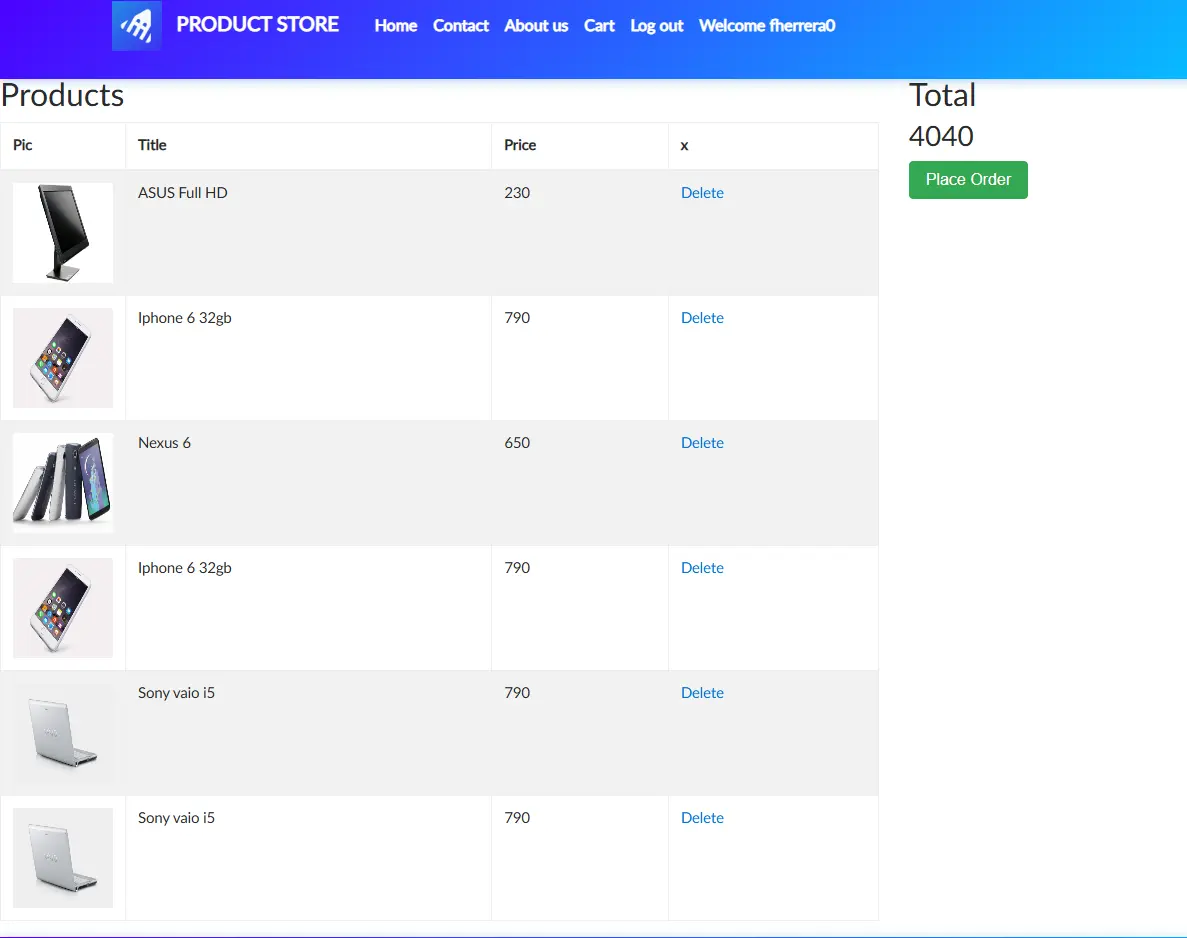
- Add 1 product to the cart
- Cart → Place Order
- Leave all fields empty
- Click Purchase
- Add 2 products to the cart
- Verify the total is the sum of both
- Click "Delete" on one of the products
- Observe the total without manually reloading the page
- Sign up with a username that already exists
- Observe the error message
↳ Full testing cycle complete — all 10 test cases executed and all 7 bug candidates verified. Full detail in the GitHub repository.