Role: UX/UI Designer (solo, capstone project)
Timeline: April 2020 – February 2021
Monster Travel is a concept travel-booking app for iOS. It started from a simple observation: people love traveling, but the apps built to help them plan often get in the way — hidden information, no offline support, and no easy way to plan a trip together with friends.
Research & Competitive Analysis
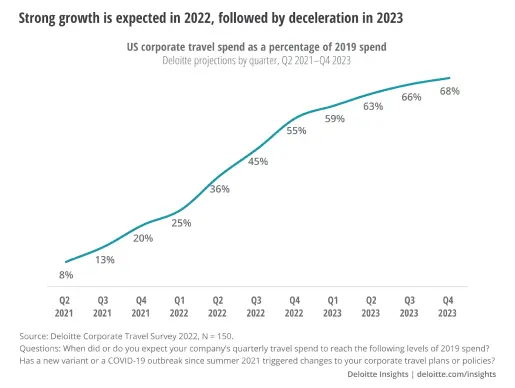
Corporate and leisure travel spend was projected to keep climbing back toward pre-2019 levels — the market was there, but the apps weren't keeping up.
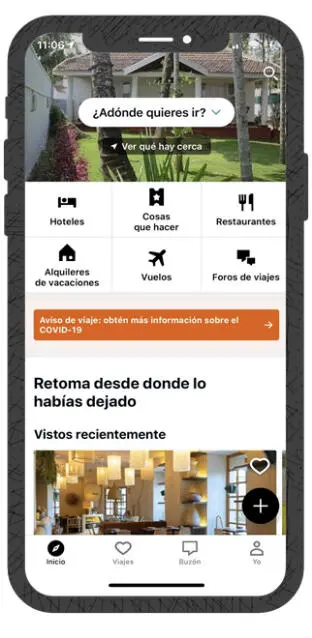
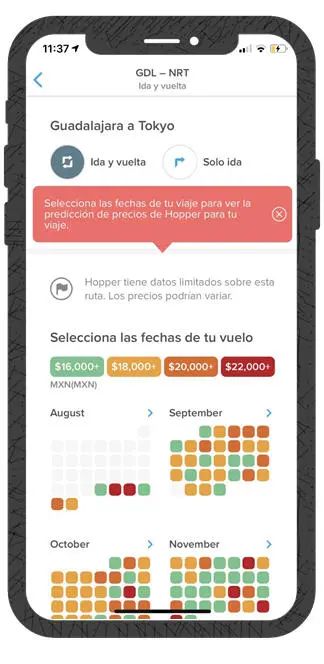
I compared six of the most-used travel apps — TripAdvisor, Kayak, Hopper, Expedia, Despegar and BestDay — and read through their real user reviews.

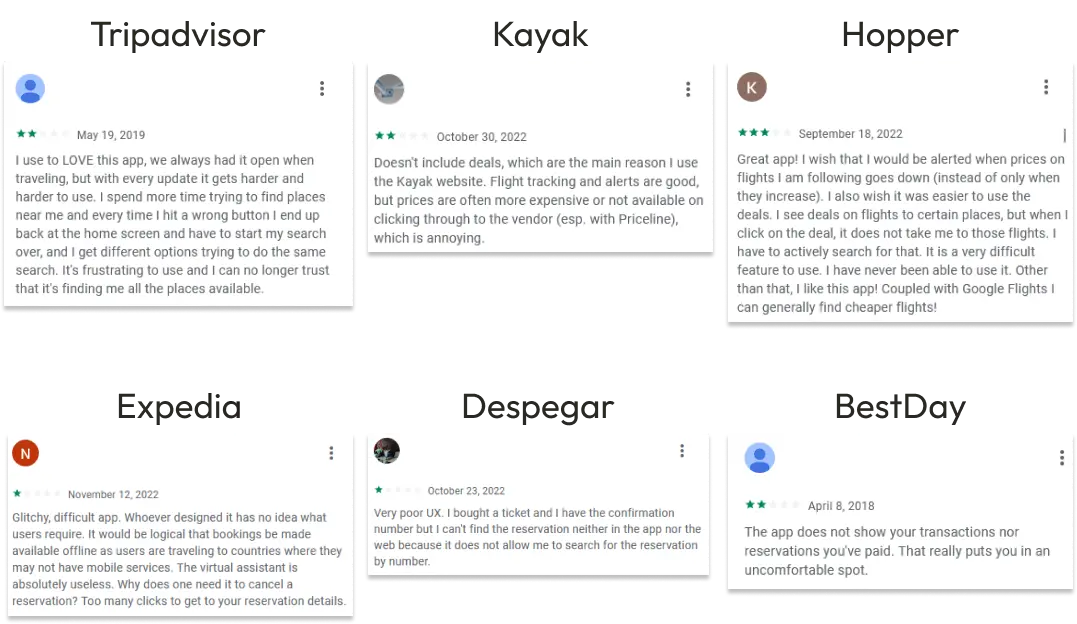
The same complaints kept showing up: hard to find information, no offline access, and prices or reservations that were difficult to track down.

User Survey
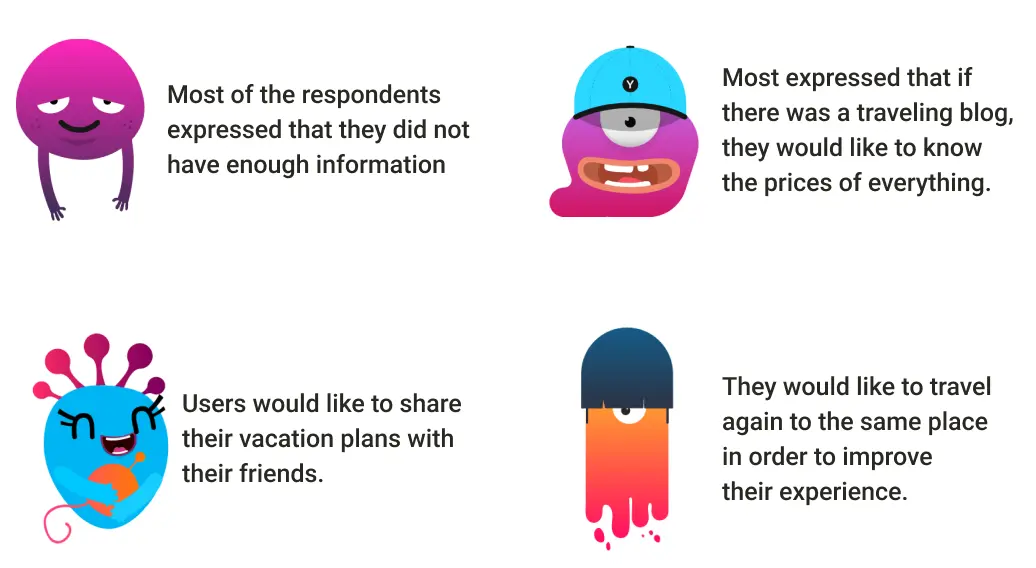
Survey respondents were consistent about what was missing: more upfront information, transparent pricing, the ability to share trip plans with friends, and being able to revisit and improve a trip they'd already taken.

User Persona
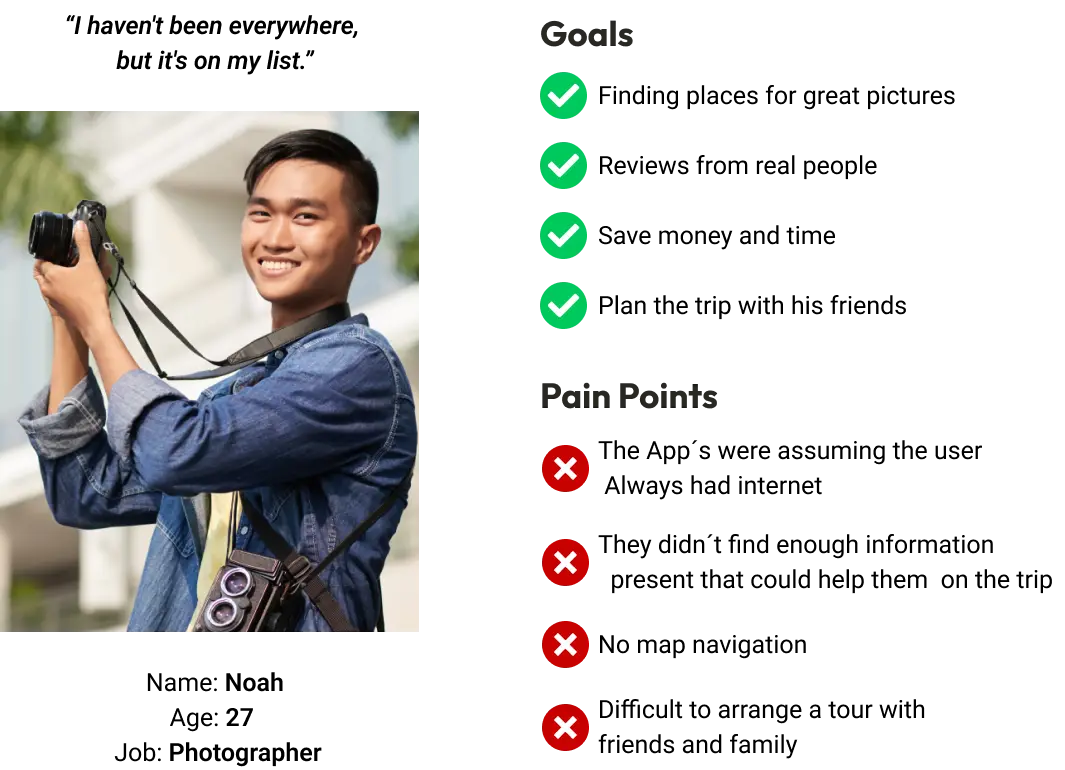
Noah travels to find great photo spots and plan trips with friends. His pain points lined up exactly with the research and competitor reviews: apps that assume you always have signal, not enough information to actually help mid-trip, no map navigation, and no easy way to coordinate a trip with a group.

Design Process
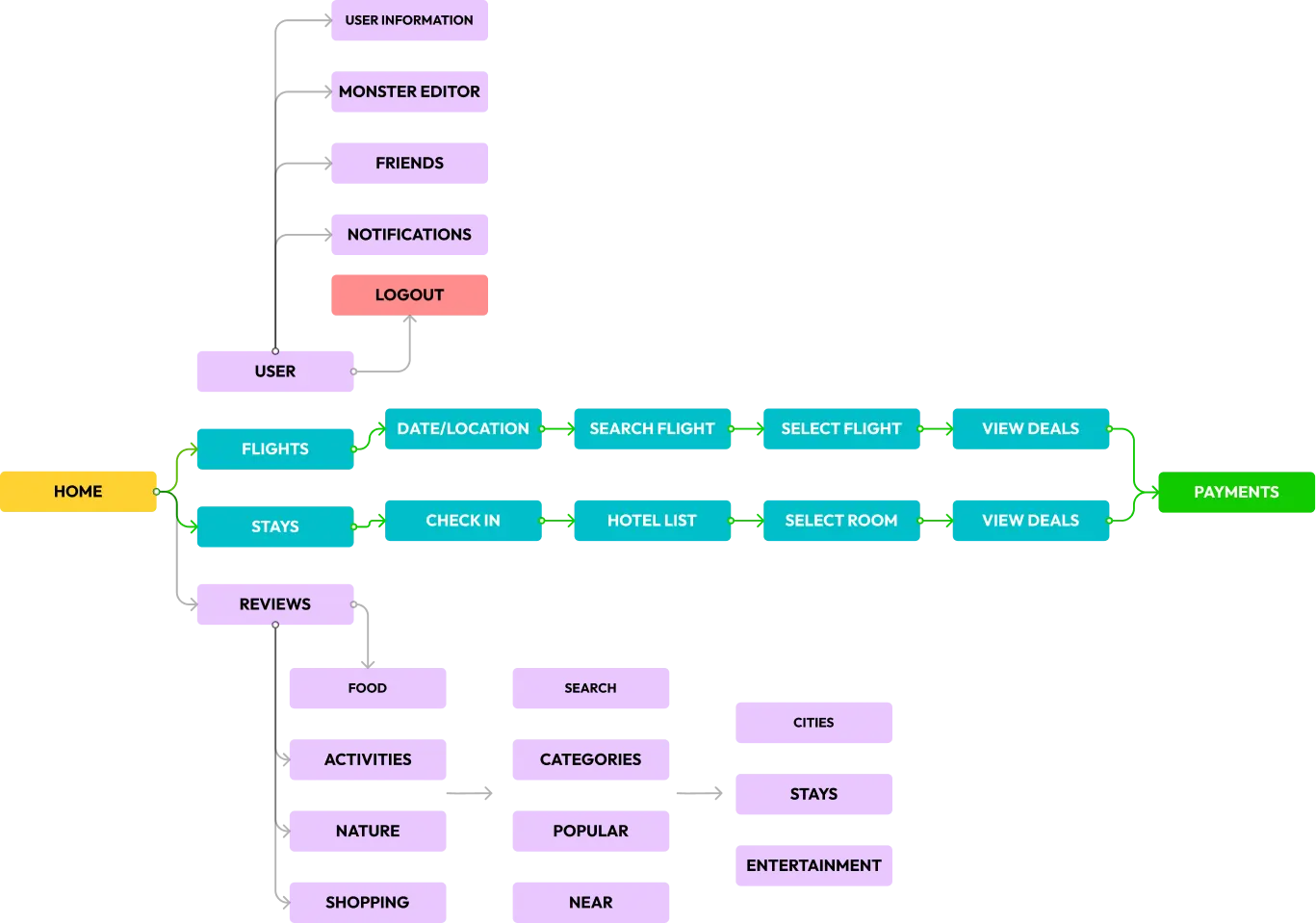
I mapped the information architecture first — how a user moves from Home into Flights, Stays and Reviews, and how the Monster/avatar editor and social features hang off the user's profile.
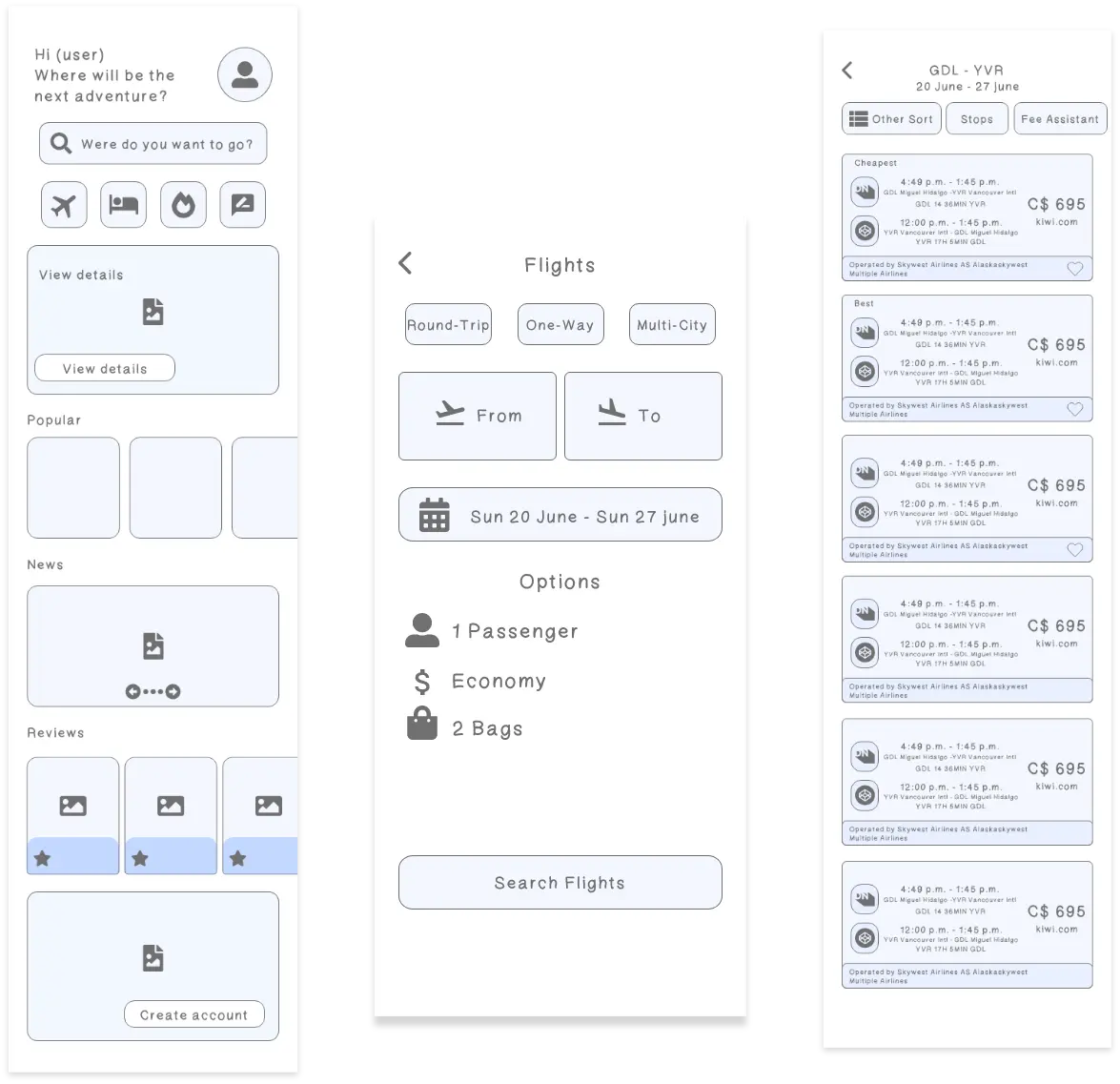
Low-fidelity wireframes came next, to get the flight-search flow right before investing in visual design.
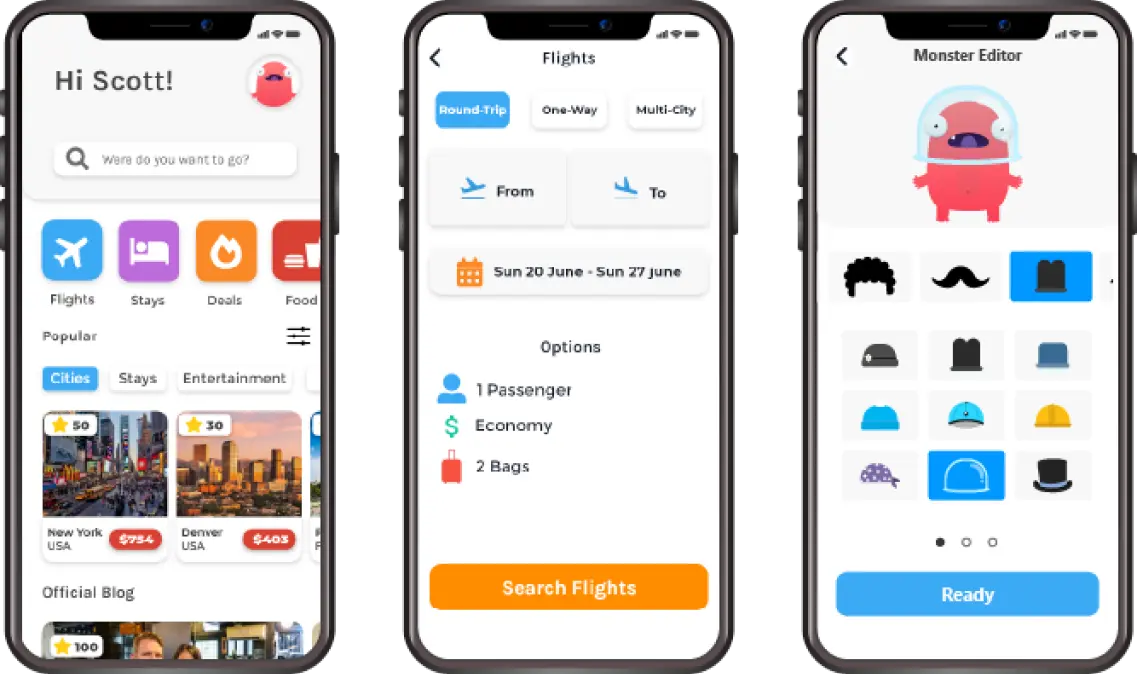
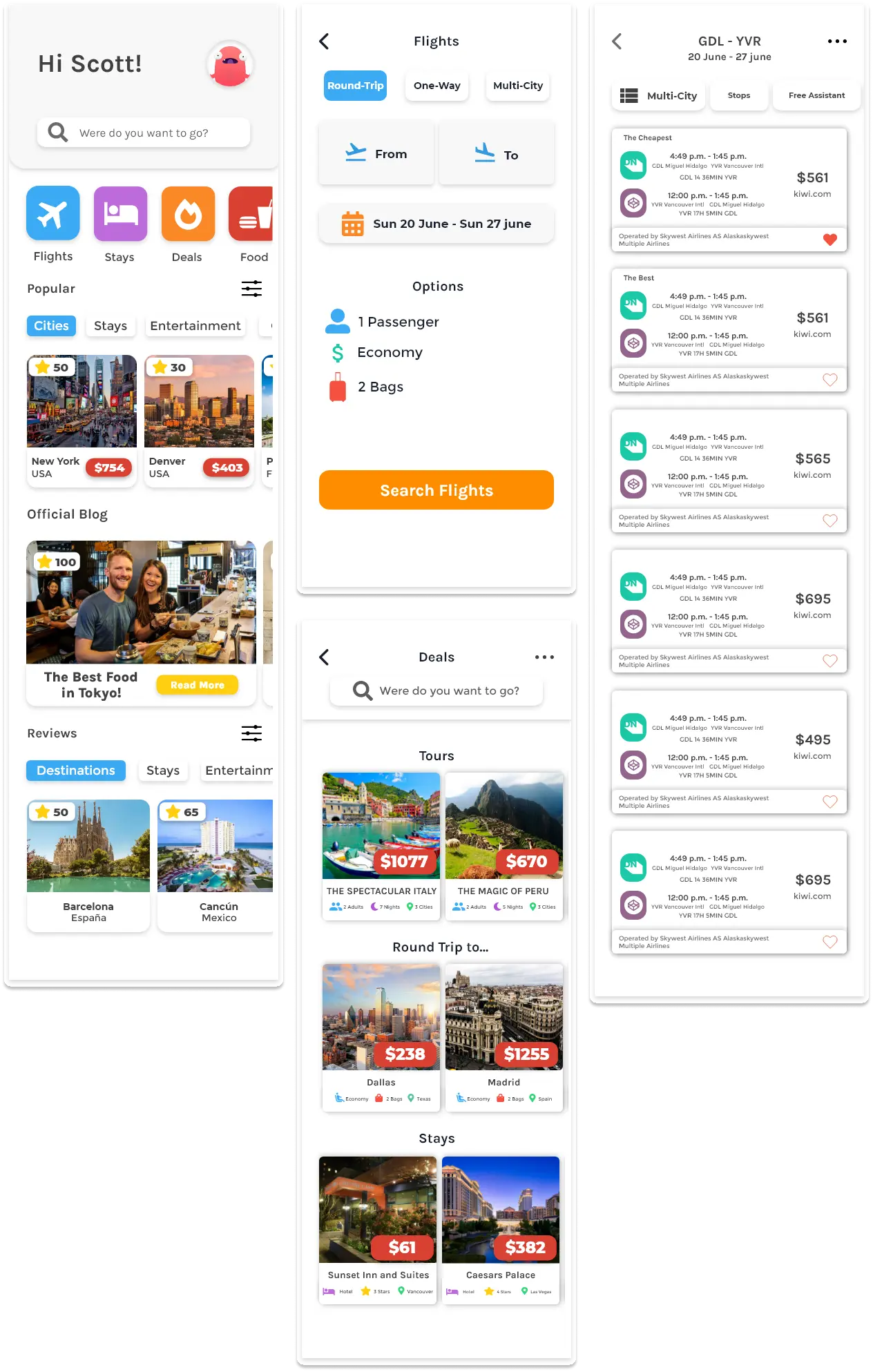
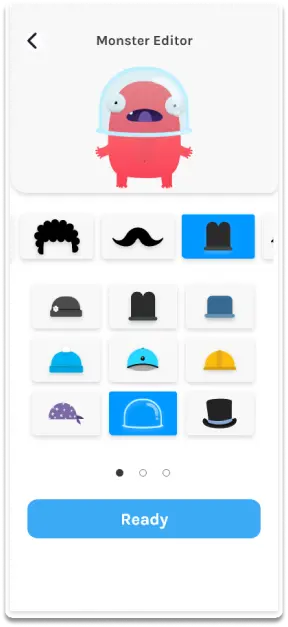
Then the high-fidelity screens — home, search, and the character/avatar editor that gives the app its identity.

Key Features
Avatar customization — users build their own "Monster" travel companion, giving the app a friendlier, more personal identity than a generic booking form.
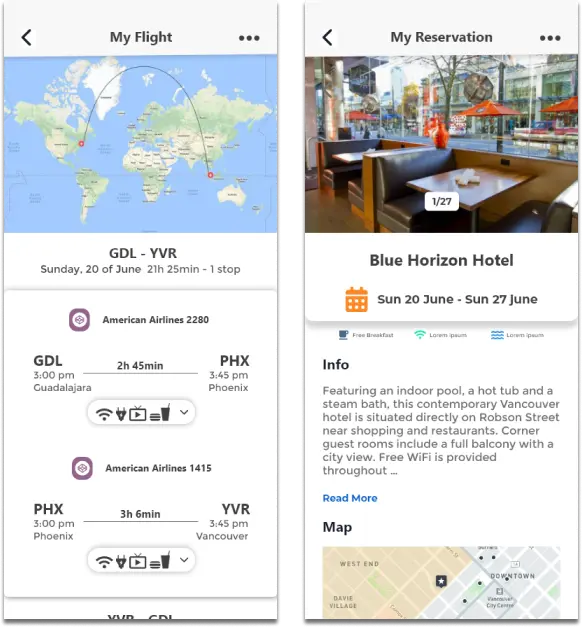
Offline-ready trip info — flight and reservation details are laid out to stay useful without a live connection, directly answering the "apps assume you always have internet" complaint from the research.
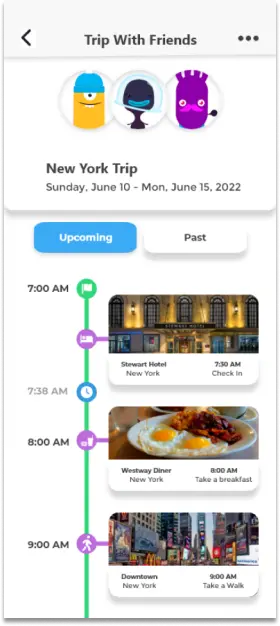
Collaborative trip planning — a shared itinerary view so a trip can be planned and followed together with friends, not just booked solo.
Validation
The prototype was tested with 10 users to validate the flows above before calling the design final — the chain from research, to the persona, to each feature above is the direct result of that iteration.